Introduction
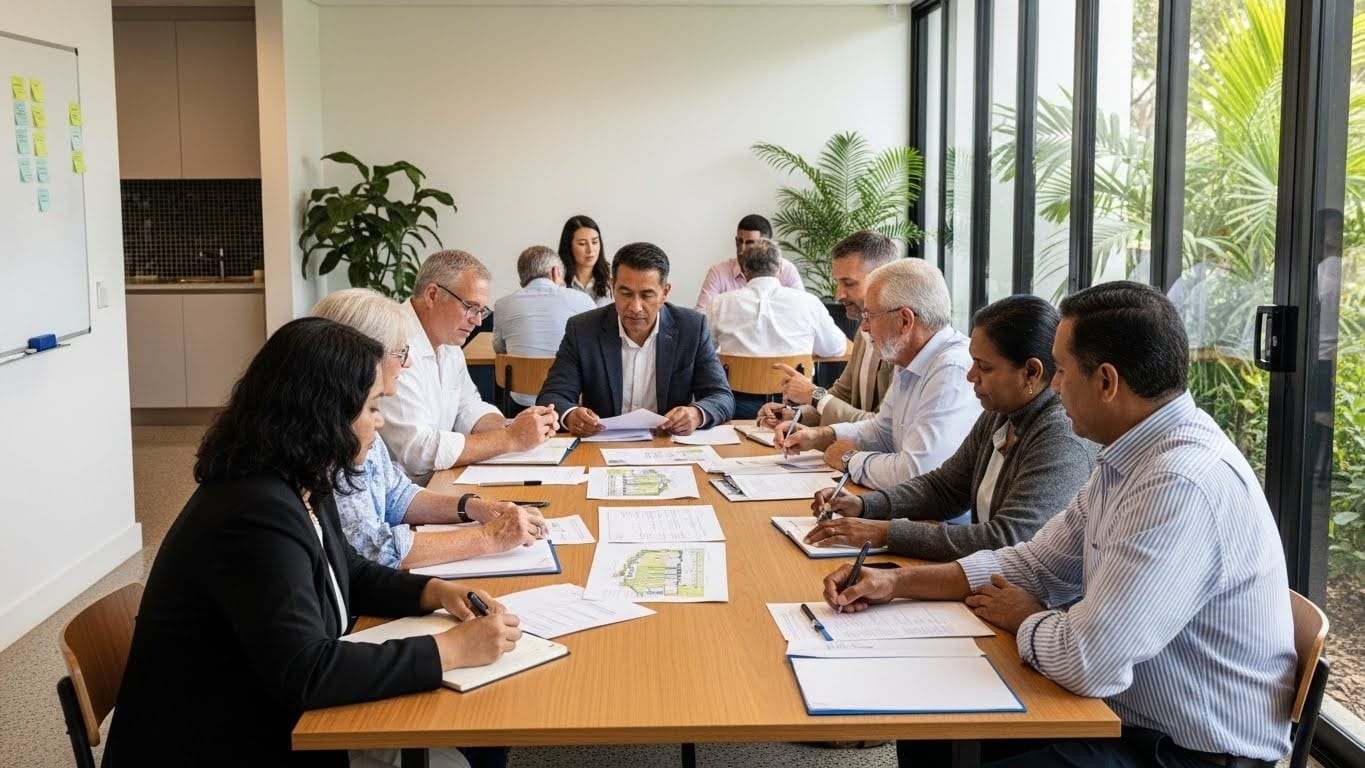
The strata committee meeting had been going for ninety minutes. The treasurer just finished presenting the intercom upgrade proposal. Twelve thousand dollars to replace the building’s twenty-year-old system.
“I vote no,” said Unit 7’s owner immediately. “My handset works fine.”
Three other owners nodded in agreement.
The chairperson sighed. This was the third time they’d tried to pass this motion. The building’s intercom failed weekly. Delivery drivers couldn’t access the lobby. One elderly resident missed a medical appointment because the ambulance couldn’t buzz her unit.
But convincing twenty-eight owners to approve a twelve thousand dollar expense? Nearly impossible.
Then the committee tried a different approach. Six weeks later, the motion passed unanimously—28 votes in favour, zero against.
What changed? They stopped selling features and started addressing the real concerns every body corporate owner actually cares about.
Here’s the complete guide to getting your strata intercom upgrade approved—including the exact framework that turns “no” voters into enthusiastic supporters.
 Smart parcel room equipped with a modern video intercom and secure delivery lockers, designed to prevent package theft in residential and commercial buildings across Brisbane. The system allows couriers to safely deliver parcels inside a locked area, reducing theft and improving delivery efficiency.
Why Most Intercom Upgrade Proposals Fail
Let’s address the uncomfortable truth: most body corporate proposals fail not because they’re bad ideas, but because they’re presented badly.
Committees typically present upgrades like this:
“The new system has HD video, mobile app integration, cloud storage, facial recognition, and works with smartphones. It costs twelve thousand dollars. Who votes yes?”
That approach creates four immediate problems:
Problem 1: Features Mean Nothing Owners don’t care about “HD video” or “cloud storage.” They care about not missing deliveries, feeling safe, and avoiding special levies.
Problem 2: The Price Sounds Arbitrary Twelve thousand dollars feels expensive without context. Is that cheap? Expensive? How does it compare to alternatives?
Problem 3: No Personal Benefit Unit 7’s owner legitimately doesn’t see a benefit. Their handset works. Why should they pay for an upgrade?
Problem 4: Change Creates Anxiety People resist change naturally. New systems mean learning new things, potential disruptions, and unknown complications.
Most committees give up after the second rejection. The successful ones understand that approval isn’t about features—it’s about addressing specific owner concerns systematically.
The Four Questions Every Owner Is Actually Asking
When you present an intercom upgrade, owners silently ask themselves four questions. Answer these explicitly, and approval becomes dramatically easier.
Question 1: “What’s in it for ME specifically?”
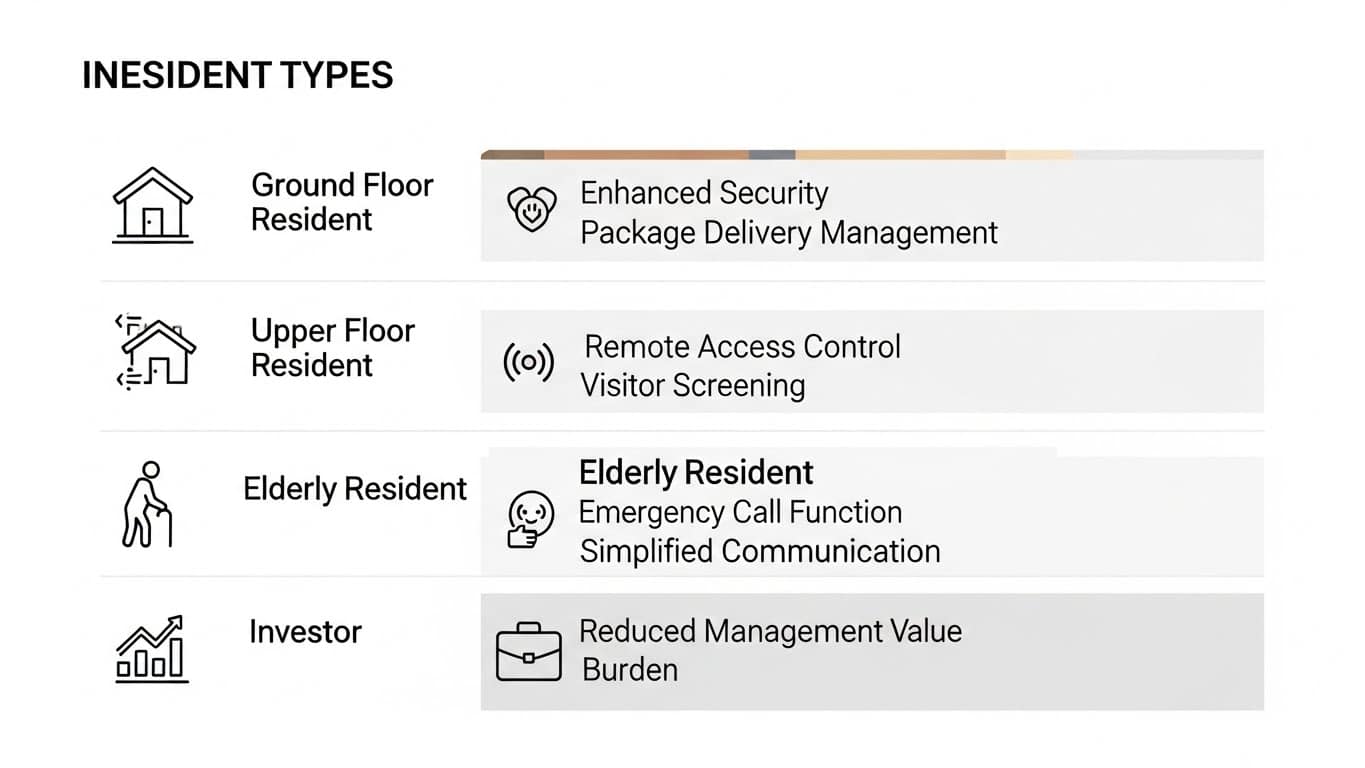
Successful proposals address individual benefits by unit type:
Ground Floor Units: “The new system stops unauthorized lobby access. Three break-in attempts this year happened because someone held the door for a stranger. Video verification eliminates this.”
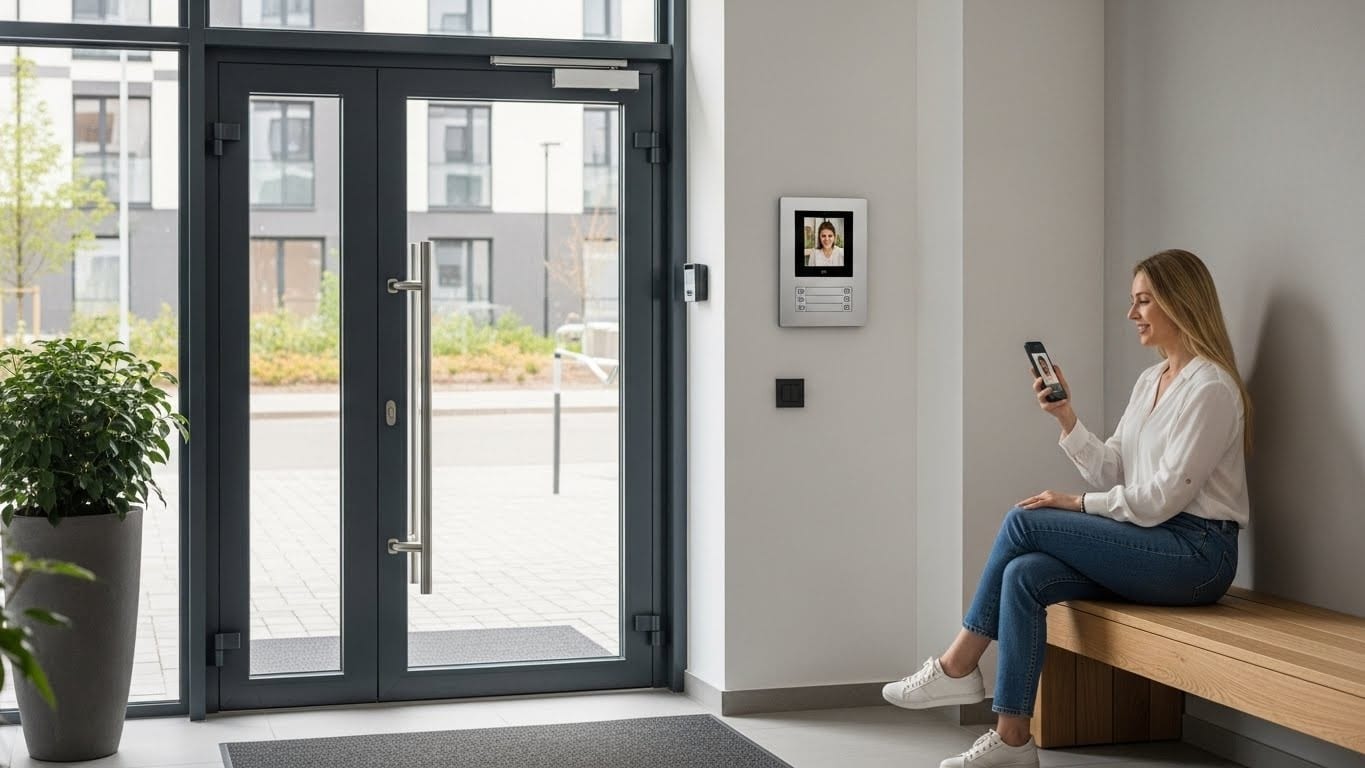
Upper Floor Units: “You’ll receive delivery notifications instantly on your phone. No more missed packages or trips to the post office because you didn’t hear the buzzer.”
Elderly Residents: “The system works exactly like answering your mobile phone. One button press unlocks the door. No complicated menus or settings.”
Renters: “Access codes work immediately. No waiting days for fobs or keys when you move in.”
Investors: “Properties with modern security systems rent faster and achieve higher rental rates. You’ll see immediate benefit when your tenant lease renews.”
One committee created a simple chart showing specific benefits for each unit category. Resistance dropped dramatically.
Question 2: “Why can’t we just repair what we have?”
This question requires brutal honesty about system obsolescence.
The Repair Reality: “Our current system is a 2003 Aiphone model. The manufacturer discontinued parts in 2019. Last repair cost eight hundred fifty dollars for refurbished components. The technician estimates we have maybe eighteen months before critical parts become completely unavailable.
At that point, emergency replacement will cost fifteen thousand to eighteen thousand dollars with disruption during installation. Planning now means choosing the right system at a better price with minimal disruption.”
The Cumulative Cost Reality: Present actual repair costs from the last three years:
- 2022: $1,240 in repairs
- 2023: $1,680 in repairs
- 2024: $2,350 in repairs
- Three-year total: $5,270
“We’ve spent five thousand two hundred seventy dollars maintaining a failing system. The upgrade costs twelve thousand dollars but eliminates repair costs entirely for ten to fifteen years. We’re not spending extra—we’re redirecting maintenance funds to permanent solutions.”
Numbers stop arguments. Feelings don’t.
Question 3: “Why is this so expensive?”
Price without context sounds expensive. Price with context becomes reasonable.
The Comparison Framework:
Option A: Keep Current System
- Immediate cost: $0
- Annual maintenance: $2,000-$3,000
- Expected lifespan: 1-2 years
- Emergency replacement: $15,000-$18,000
- Three-year cost: $21,000-$24,000
Option B: Budget Replacement
- Immediate cost: $6,500
- Annual maintenance: $800-$1,200
- Expected lifespan: 5-8 years
- Features: Basic audio/video, limited mobile access
- Three-year cost: $8,900-$10,100
- Hidden cost: Limited functionality frustrates residents
Option C: Quality Modern System (Recommended)
- Immediate cost: $12,000
- Annual maintenance: $400-$600
- Expected lifespan: 12-15 years
- Features: Full mobile integration, cloud recording, facial recognition
- Three-year cost: $13,200-$13,800
- Three-year savings vs. keeping current: $7,200-$10,200
- Benefit: Eliminates frustration, increases property value
Suddenly twelve thousand dollars doesn’t sound expensive—it sounds like the most financially sensible option.
Question 4: “What’s the catch?”
Owners expect hidden problems. Address them proactively:
Installation Disruption: “Installation happens over two days—Wednesday and Thursday. Individual unit installations take twenty minutes per unit. We’ve scheduled appointments so you can plan accordingly. Alternative: you can authorize building management to access your unit if you’re unavailable.”
Learning Curve: “The system works exactly like answering your phone. Press one button to see the visitor. Press another to unlock. We’re scheduling three training sessions—morning, afternoon, and evening—so every resident can attend. We’ll also provide printed quick-start guides.”
Ongoing Costs: “Annual maintenance costs four hundred dollars, paid from our existing maintenance fund—no special levy required. This compares to our current two thousand dollar annual maintenance costs, freeing up budget for other building improvements.”
Vendor Relationship: “Intercom Solutions Brisbane provides a five-year warranty, local technical support (not offshore call centers), and prioritizes body corporate buildings for service calls. They’ve completed installations in seventeen Brisbane strata buildings with excellent committee feedback.”
Privacy Concerns: “Video footage is stored securely in the cloud with encryption. Only authorized building management and committee members can access recordings. Residents control who enters the building but don’t monitor each other’s visitors.”
Addressing problems before they’re raised eliminates objections.
The Approval Process: Step-by-Step
Getting body corporate approval requires following formal processes correctly.
Step 1: Form a Working Committee (Week 1)
Create a small group to investigate options:
- One committee member (usually secretary or treasurer)
- One tech-savvy resident
- One skeptical owner (convert them early)
This group researches systems, obtains quotes, and develops the proposal.
Step 2: Get Multiple Quotes (Weeks 2-3)
Obtain at least three detailed quotes. Include:
- Complete itemized costs
- Installation timeline
- Warranty terms
- Annual maintenance estimates
- References from similar buildings
Step 3: Create Resident Survey (Week 4)
Before the formal proposal, survey residents:
“Rate your satisfaction with our current intercom system:”
- Very satisfied
- Satisfied
- Neutral
- Dissatisfied
- Very dissatisfied
“What intercom problems have you personally experienced?” (Open response)
“Would you support upgrading to a modern system if it included these benefits?” (List specific benefits)
Survey results provide ammunition for your proposal. “Seventy-three percent of residents rated current intercom satisfaction as ‘dissatisfied’ or ‘very dissatisfied'” is powerful evidence.

Step 4: Prepare Comprehensive Proposal (Week 5)
Your proposal document should include:
Executive Summary (One Page)
- Current situation (problems, costs, risks)
- Recommended solution
- Total investment required
- Expected benefits
- Timeline
Detailed Analysis (2-3 Pages)
- Current system history and costs
- Three-year cost comparison
- Benefits by resident type
- Vendor comparisons
- Installation plan
- Maintenance expectations
Supporting Documents
- Vendor quotes
- Reference building contacts
- Survey results
- Photos of current system issues
- Warranty documentation
Step 5: Pre-Meeting Consultation (Week 6)
Before the formal vote, meet with key stakeholders:
Major Objectors: Schedule individual meetings. Listen to specific concerns. Adjust proposal to address legitimate issues.
Elderly Residents: Offer personal system demonstrations. Emphasize simplicity and support availability.
Investors: Focus on property value benefits and tenant satisfaction improvements.
Converting key stakeholders before the meeting dramatically increases approval chances.
Step 6: Present at General Meeting (Week 7)
Presentation Structure (15 minutes):
Minutes 0-3: The Problem Show current system failures. Use specific examples residents recognize.
Minutes 3-7: The Solution Explain recommended system. Demonstrate on a tablet or phone.
Minutes 7-11: The Numbers Present three-year cost comparison. Show how upgrade saves money long-term.
Minutes 11-15: Q&A Address concerns directly. Have committee members share personal research findings.
The Motion: “This body corporate approves installation of [specific system] at a total cost of [$amount], with work commencing [date] and completion by [date]. Funding will come from [capital works fund/special levy].”
Common Objections (And How to Handle Them)
“My unit’s handset works fine—why should I pay?”
Response: “Individual handsets rely on the main system. When the main panel fails—which is increasingly common—all units lose functionality. Additionally, the current system creates building-wide problems: missed deliveries, unauthorized lobby access, and emergency service delays affect property value for everyone.”
“Let’s wait until it completely breaks”
Response: “Emergency replacement costs thirty to fifty percent more than planned installation. You also lose choice—when systems fail, you take whatever’s available quickly rather than selecting the best option. Plus, each failure puts residents at risk and damages our building’s reputation.”
“Can’t we get something cheaper?”
Response: “We evaluated budget options. Lower initial cost creates higher ongoing expenses through frequent repairs and shorter lifespan. Over five years, quality systems actually cost less than cheap alternatives while providing better functionality.”
“What if technology changes in two years?”
Response: “Quality systems include software updates for new features. The fundamentals—video verification, mobile access, secure entry—won’t become obsolete. Technology changes happen gradually, not overnight. Modern systems are designed for ten to fifteen year service lives.”

After Approval: Implementation Best Practices
Getting approval is step one. Successful implementation requires careful management.
Communication Plan
Week Before Installation:
- Email all residents with detailed schedule
- Post notices in elevators and common areas
- Include FAQ document addressing common questions
During Installation:
- Daily progress updates via email/notice board
- Available contact person for concerns
- Clear signage explaining temporary disruptions
Week After Completion:
- Schedule training sessions (multiple times)
- Distribute quick-start guides
- Collect feedback on any issues
Training Sessions
Run three identical sessions at different times:
- Morning (9 AM): Retirees, work-from-home residents
- Afternoon (5:30 PM): Working professionals
- Evening (7 PM): Alternative for those who missed earlier sessions
Session content (30 minutes):
- Basic operation demonstration (5 min)
- Hands-on practice (15 min)
- Advanced features (5 min)
- Q&A (5 min)
First Month Support
Designate a committee member as the go-to person for questions. Alternatively, arrange with your installer for enhanced support during the transition period.
Most issues arise from unfamiliarity, not actual system problems. Available support reduces frustration dramatically.
Brisbane-Specific Considerations
Brisbane strata buildings face unique challenges:
Queensland Building Codes
Modern intercoms must comply with:
- Electrical Safety Regulation 2013
- Queensland Building and Construction Commission requirements
- Body Corporate and Community Management Act 1997
Professional installers handle compliance, but verify this explicitly in contracts.
Weather Resistance
Brisbane’s subtropical climate demands:
- IP65 or higher weatherproof rating
- UV-resistant materials
- Surge protection for storm season
- Corrosion-resistant components (especially near the bay)
Budget systems often fail within three years in Brisbane conditions.
Body Corporate Act Requirements
Under Queensland’s Body Corporate and Community Management Act:
- Expenditure over specific thresholds requires special resolution
- Quote comparison requirements for major works
- Sinking fund regulations for capital improvements
Your strata manager should guide you through these requirements.
Success Stories: Real Brisbane Buildings
Spring Hill, 24 Units
Challenge: Third rejection. Owners divided on necessity.
Solution: Committee created resident-specific benefit analysis and presented three-year cost comparison.
Result: Unanimous approval on fourth attempt. Installation completed with zero complaints. Two-year follow-up survey: 92% resident satisfaction.
Kangaroo Point, 38 Units
Challenge: Concerns about cost and disruption.
Solution: Negotiated with installer for extended payment terms. Created detailed installation schedule with individual unit appointment booking system.
Result: Approved 34-4 on first vote. Installation completed one day ahead of schedule. Building received positive feedback from real estate agents during property inspections.
Paddington, 16 Units
Challenge: Mix of elderly residents worried about technology and younger owners wanting premium features.
Solution: Chose system with simple default operation but optional advanced features. Offered personalized training for residents who wanted it.
Result: Unanimous approval. Three months post-installation, all residents (including previously skeptical elderly residents) reported high satisfaction.
Your Next Steps
If your building needs an intercom upgrade:
This Week:
- Form working committee
- Document current system problems (take photos, record dates of failures)
- Contact Intercom Solutions Brisbane for initial consultation
Next Two Weeks:
- Obtain three detailed quotes
- Research reference buildings in Brisbane
- Create resident survey
Weeks 3-4:
- Analyze quotes and survey results
- Develop comprehensive proposal
- Meet with key stakeholders individually
Weeks 5-7:
- Present proposal to committee
- Schedule general meeting
- Prepare presentation materials
Contact Intercom Solutions Brisbane:
We specialize in body corporate installations across Brisbane. Our services include:
- Free site assessment and system recommendations
- Body corporate-specific proposal assistance
- Reference building tours (see systems in action)
- Training and support during transition
- Ongoing local technical support
Email: sales@intercomsolutions.com.au Address: 95 N Quay, Brisbane City QLD 4000, Australia
We understand body corporate approval processes. We’ll help you create a proposal that actually gets approved—and a system your residents will love using.
Frequently Asked Questions
How much does a typical intercom upgrade cost for a strata building in Brisbane?
Costs vary significantly by building size and system features. Small buildings (4-12 units) typically invest eight thousand to fifteen thousand dollars. Medium buildings (12-30 units) range from fifteen thousand to thirty thousand dollars. Large complexes (30+ units) cost thirty thousand dollars and up. These figures include hardware, professional installation, initial training, and warranty.
What approvals are required for body corporate intercom upgrades in Queensland?
Under the Body Corporate and Community Management Act 1997, intercom upgrades typically require an ordinary resolution for maintenance replacements or special resolution for major improvements depending on cost thresholds. Your strata manager should advise on specific requirements for your building. Most upgrades fall under “maintaining common property” provisions.
How long does installation take for an apartment building?
Small buildings (under 15 units) typically require two to three days. Medium buildings (15-40 units) need four to six days. Large complexes may require one to two weeks. Individual unit installations take twenty to thirty minutes each. Most work happens in common areas, minimizing disruption to residents.
Can we upgrade our intercom system while keeping some old handsets?
This depends on your current system and chosen replacement. Some modern systems allow hybrid setups temporarily during transition periods. However, mixing old and new technology usually creates more problems than benefits. Full replacement ensures consistent functionality, simpler maintenance, and better long-term value.
What happens if residents can’t figure out how to use the new system?
Quality installers provide comprehensive training sessions for all residents. Systems are designed for intuitive operation—typically simpler than using a smartphone. Intercom Solutions Brisbane offers multiple training sessions at different times, printed quick-start guides, and ongoing support. Most residents master basic operation within the first week.
Do modern intercom systems work during power outages?
Most quality systems include battery backup maintaining core functionality for four to eight hours during outages. The entry panel continues operating. Mobile app features requiring internet may be limited. Systems automatically resume full functionality when power returns.
How do we handle residents who oppose the upgrade?
Focus on addressing their specific concerns through individual conversations. Most opposition stems from misunderstanding costs, benefits, or implementation details. Present clear three-year cost comparisons. Offer to show them reference buildings with similar systems. Convert key objectors before the general meeting. In our experience, well-prepared proposals addressing legitimate concerns rarely face serious opposition.
![The $12 Billion Problem: How Brisbane Families Are Finally Stopping Package Thieves – [Cloned #540]](https://intercomsolutions.com.au/wp-content/uploads/2026/03/CAPA-JPEG-150x150.jpg)