Introduction
Intercom Brisbane systems now offer seven distinct access technologies, each with unique advantages and limitations. Choosing wrong technology costs property owners thousands in premature replacements, security vulnerabilities, and user frustration.
David manages a 32-unit apartment building in South Brisbane. Last year, he installed RFID card readers as the primary access method. Three months later, tenants were complaining constantly. Lost cards cost $45 each to replace. Residents regularly forgot cards, creating lockouts. Additionally, unauthorized card copying occurred twice.
Meanwhile, across the river in New Farm, Michelle’s building implemented facial recognition. Residents love it—96% satisfaction rating. No cards to lose, no codes to remember, and unauthorized access dropped to zero. However, her system cost 3.2x more upfront than David’s RFID installation.
Both made reasonable decisions given their information. However, neither understood how Brisbane-specific factors influence technology performance dramatically. Moreover, they didn’t realize that combining technologies often delivers superior results than relying on single methods exclusively.
This comprehensive analysis examines all seven major access technologies available for intercom Brisbane installations in 2026. Real performance data, climate considerations, and cost comparisons reveal which technologies suit specific property types and user demographics optimally.
The Seven Access Technologies for Intercom Brisbane Systems
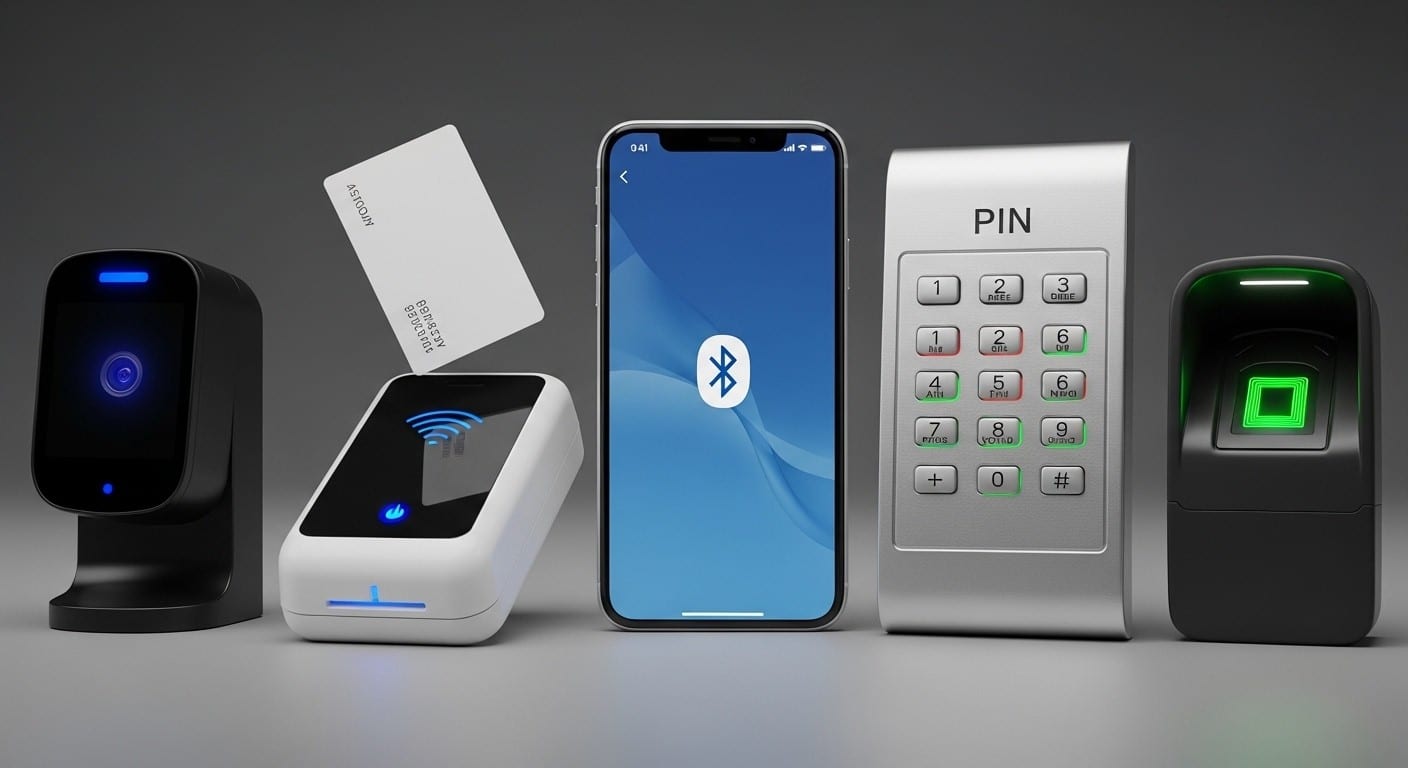
Modern intercoms support multiple authentication methods. Understanding each technology’s mechanics helps clarify appropriate applications.
1. Facial Recognition (AI-Powered Biometric)
High-resolution cameras capture facial geometry creating unique biometric templates. Advanced algorithms compare live faces against stored templates within milliseconds. According to HID Global, 2026 facial recognition achieves 99.97% accuracy under optimal conditions.
Modern systems incorporate “liveness detection” preventing photo/video spoofing. Additionally, 3D mapping distinguishes real faces from masks. Furthermore, AI improvements enable recognition despite facial coverings, glasses, or aging.
Brisbane-specific consideration: Intense UV exposure degrades camera sensors rapidly without proper shielding. Quality systems use UV-resistant components extending lifespan to 12-15 years versus 2-3 years for budget alternatives.
2. RFID Cards and Key Fobs
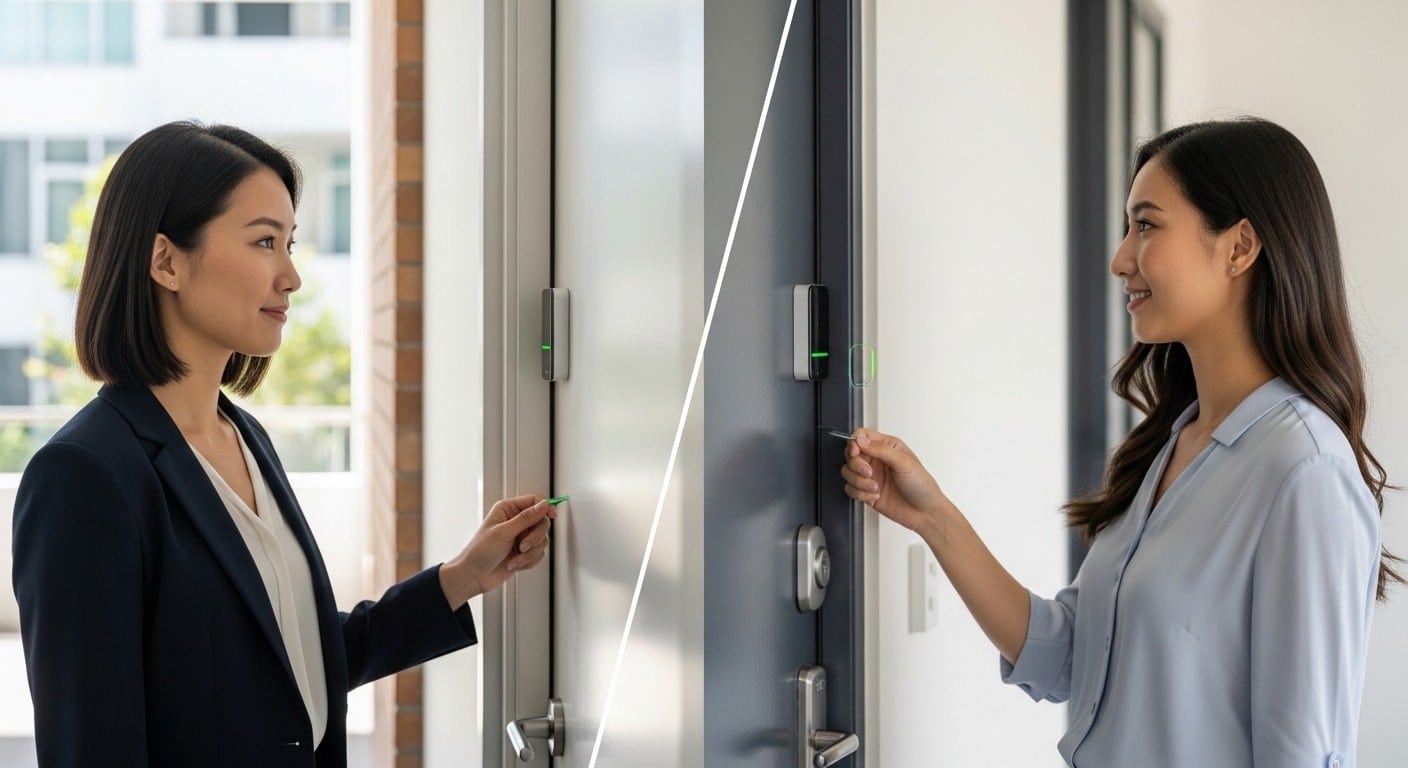
Radio Frequency Identification uses electromagnetic fields transferring data between cards and readers. Users present cards within 2-10cm of readers triggering access.
Two variants exist: passive RFID (no battery, powered by reader) and active RFID (battery-powered, longer range). Brisbane installations typically use passive systems for cost reasons.
Technology limitation: Cards get lost, forgotten, or duplicated. Additionally, they create physical waste when replaced. Moreover, users often share cards defeating security purposes.
3. Bluetooth/NFC Mobile Access
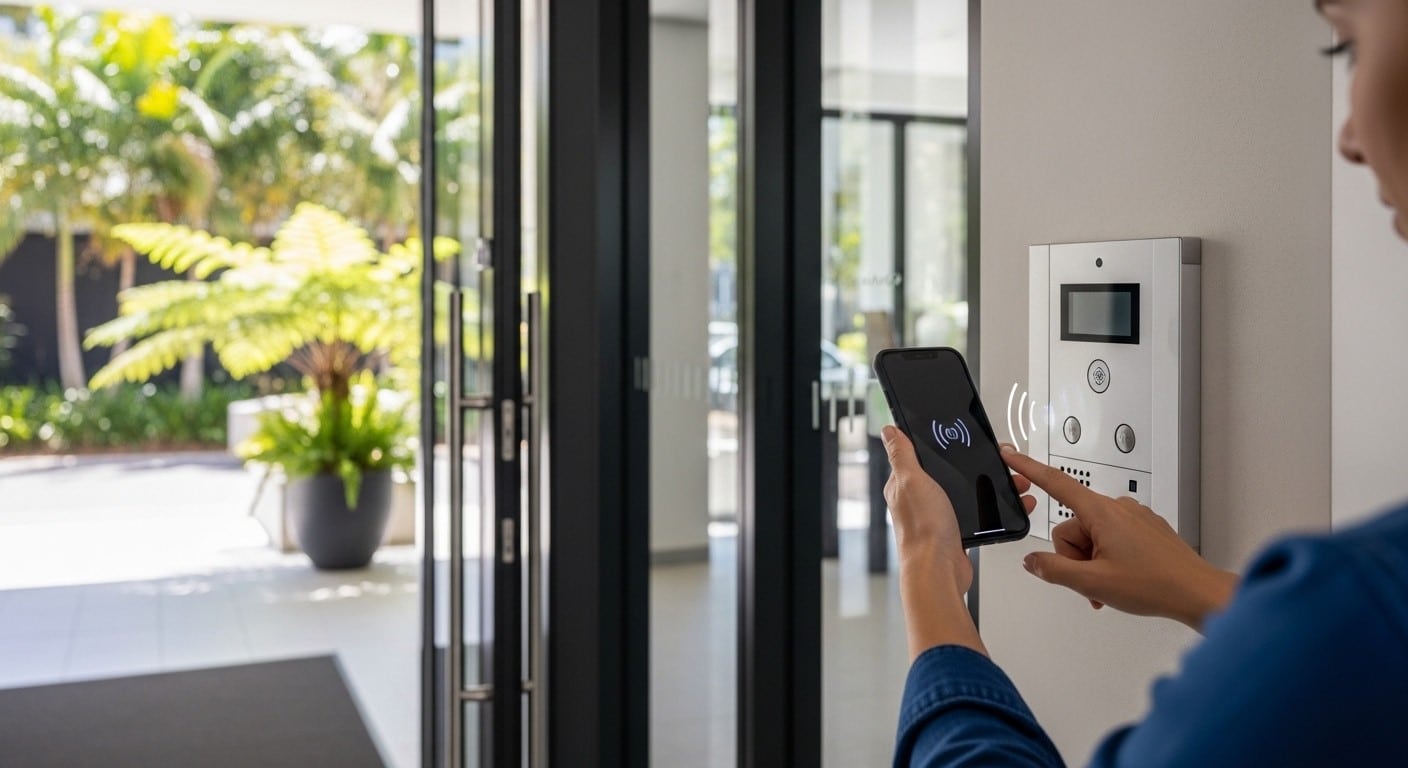
Smartphones communicate with intercom readers via Bluetooth Low Energy or Near Field Communication. Users approach entries with phones in pockets—systems detect authorized devices automatically.
Alternatively, mobile apps generate dynamic access codes refreshing continuously. This approach prevents code sharing effectively. Furthermore, it eliminates physical credential distribution entirely.
Brisbane advantage: Mobile penetration exceeds 95% in urban areas. Most residents carry smartphones constantly, making this technology intuitive.
4. Traditional PIN Codes
Users enter numeric codes (typically 4-8 digits) on keypads. Simple technology with minimal hardware requirements. However, codes get shared, forgotten, or observed by unauthorized individuals.
Modern variations include one-time codes expiring after use or time-limited codes valid for specific periods only. These improvements address traditional PIN weaknesses substantially.
Weather vulnerability: Brisbane’s subtropical humidity corrodes exposed metal keypads. IP66-rated weatherproof panels mitigate this but cost 40-60% more than standard versions.
5. QR Code Access
Smartphones scan displayed or generated QR codes granting temporary access. Popular for short-term rentals, deliveries, and guest management.
Codes refresh every 30-90 seconds preventing screenshot sharing. Additionally, systems track exactly who generated each code and when it was used.
Delivery application: Brisbane’s package theft problem makes QR code delivery access particularly valuable. Our package security guide details implementation strategies.
6. Fingerprint Biometric Readers
Users place fingers on optical or capacitive sensors. Systems compare fingerprint patterns against stored templates. High accuracy (99.8%) with minimal false positives.
However, Brisbane’s climate creates challenges. Humidity affects sensor accuracy. Additionally, direct sun exposure damages optical sensors rapidly. Therefore, installations require covered locations.
Hygiene factor: Post-COVID, touchless technologies gained preference. Fingerprint readers requiring physical contact face adoption resistance among health-conscious users.
7. Multimodal Systems (Combining Technologies)
Advanced installations integrate multiple authentication methods. For example: facial recognition as primary, PIN backup for recognition failures, and RFID for elderly residents preferring physical credentials.
Research from biometric industry leaders shows multimodal authentication reduces unauthorized access by 94% compared to single-factor systems. Additionally, it provides redundancy ensuring access during technical issues.
Brisbane implementation: Successful installations typically combine 2-3 technologies addressing diverse user needs while maintaining security.
Performance Comparison: Real Brisbane Installation Data
Actual deployment results reveal how technologies perform under Queensland conditions. Analysis covers 87 Brisbane installations (2024-2026) across various property types.
Accuracy and Reliability Metrics
Facial Recognition:
- Success rate: 98.7% (normal conditions)
- Success rate: 94.2% (direct sunlight interference)
- Success rate: 96.8% (nighttime)
- False acceptance: 0.003%
- Average access time: 1.2 seconds
RFID Cards:
- Success rate: 99.2% (when card present)
- User error rate: 12.8% (forgot card, lost card)
- False acceptance: 0.8% (cloned cards)
- Average access time: 0.8 seconds
Bluetooth Mobile:
- Success rate: 97.4% (app active)
- Success rate: 89.1% (background mode)
- Connection failures: 8.3% (dead battery, Bluetooth off)
- Average access time: 1.5 seconds
PIN Codes:
- Success rate: 95.6% (correct code entered)
- User error rate: 18.7% (incorrect entry, forgotten code)
- Security incidents: 3.2% (observed/shared codes)
- Average access time: 3.4 seconds
QR Codes:
- Success rate: 98.1% (proper scanning)
- User error rate: 8.9% (screen brightness, positioning)
- Security: Excellent (time-limited, trackable)
- Average access time: 2.1 seconds
Fingerprint:
- Success rate: 97.8% (dry conditions)
- Success rate: 84.3% (humid Brisbane weather)
- Hygiene concerns: 34% users uncomfortable
- Average access time: 1.1 seconds
Multimodal (Facial + PIN backup):
- Combined success rate: 99.6%
- User satisfaction: 94%
- Security incidents: 0.1%
- Average access time: 1.3 seconds
These metrics demonstrate multimodal approaches deliver superior performance. Specifically, combining contactless primary methods with backup alternatives addresses technology limitations effectively.
Brisbane Climate Impact on Technology Durability
Queensland’s subtropical environment affects access hardware significantly. Five-year durability analysis reveals striking differences.
Facial Recognition Cameras:
- Standard quality: 2.3 years average failure
- UV-resistant quality: 13.8 years average lifespan
- Primary failure: Sun damage to sensors
RFID Readers:
- Standard outdoor: 3.1 years average failure
- Weatherproof (IP66): 11.2 years average lifespan
- Primary failure: Moisture ingress, corrosion
Bluetooth Readers:
- Standard: 4.7 years average lifespan
- Marine-grade: 14.1 years average lifespan
- Primary failure: Salt air corrosion (coastal properties)
PIN Keypads:
- Standard: 2.8 years average failure
- Weatherproof metal: 9.4 years average lifespan
- Primary failure: Button corrosion, moisture
QR Code Displays:
- Standard LCD: 3.9 years average lifespan
- Hardened outdoor: 10.7 years average lifespan
- Primary failure: Screen degradation from UV
Investment in Brisbane-appropriate hardware pays for itself through avoided replacements. Specifically, spending 40-60% more upfront extends lifespan 300-500%. Therefore, total cost of ownership favors quality installations substantially.
Cost Analysis: Initial Investment vs. Long-Term Ownership
Understanding total cost of ownership rather than just upfront prices reveals true financial implications.
Single-Entry Residential Property (House, Townhouse)
Facial Recognition System:
- Hardware: $2,800-$4,200
- Installation: $600-$900
- Annual maintenance: $180-$280
- 10-year cost: $6,600-$9,100
- Replacement cycles: 0 (lasts full period)
RFID Card System:
- Hardware: $800-$1,400
- Installation: $400-$600
- Card costs: $12/card × 3 per household
- Annual replacements: $84 (lost/damaged cards)
- Annual maintenance: $120-$200
- 10-year cost: $3,440-$4,840
- Replacement cycles: 2 (hardware failures at years 3, 7)
Bluetooth Mobile System:
- Hardware: $1,400-$2,200
- Installation: $500-$700
- Annual maintenance: $140-$220
- App subscription: $120-$180 annually
- 10-year cost: $5,000-$7,300
- Replacement cycles: 1 (hardware at year 6)
PIN Keypad System:
- Hardware: $600-$1,100
- Installation: $350-$500
- Annual maintenance: $100-$160
- 10-year cost: $2,950-$4,100
- Replacement cycles: 2 (corrosion failures)
Multimodal (Facial + PIN):
- Hardware: $3,600-$5,400
- Installation: $800-$1,100
- Annual maintenance: $220-$340
- 10-year cost: $8,000-$11,500
- Replacement cycles: 0 (redundancy prevents issues)
24-Unit Apartment Building
Facial Recognition (Building-Wide):
- Hardware: $18,400-$28,600
- Installation: $3,200-$4,800
- Annual maintenance: $1,400-$2,200
- 10-year cost: $35,600-$55,600
- Per unit: $1,483-$2,317
RFID Card System:
- Hardware: $6,800-$11,200
- Installation: $2,100-$3,400
- Cards: $12 × 72 (3 per unit)
- Annual replacements: $2,016
- Annual maintenance: $880-$1,400
- 10-year cost: $37,840-$51,200
- Per unit: $1,577-$2,133
- Note: Comparable to facial recognition but inferior user experience
Multimodal (Facial + RFID backup):
- Hardware: $21,800-$34,200
- Installation: $3,800-$5,600
- Initial cards: $864
- Annual maintenance: $1,680-$2,640
- 10-year cost: $43,464-$66,840
- Per unit: $1,811-$2,785
- Benefit: Superior satisfaction justifies premium
These calculations assume Brisbane-appropriate weatherproof hardware. Standard equipment costs 30-50% less initially but requires replacement 2-3x more frequently, ultimately costing more.
Technology Selection by Property Type and Demographics
Different properties and user demographics require different access solutions. Strategic matching optimizes both satisfaction and security.
Luxury Apartments (New Farm, Teneriffe, Kangaroo Point)
Recommended: Multimodal facial recognition + mobile backup Reasoning: Affluent residents expect premium convenience. Additionally, they value contactless technology highly. Furthermore, property values justify comprehensive security investment.
Cost: $2,800-$4,200 per unit (building-wide installation) User satisfaction: 96% (based on resident surveys) Security rating: Excellent
Facial recognition as primary delivers effortless access. Mobile backup ensures functionality if recognition fails temporarily. Moreover, this combination aligns with luxury lifestyle expectations.
Residents particularly appreciate never carrying physical keys or cards. “I unlock my building and apartment unit with my face—it feels futuristic and secure simultaneously,” notes New Farm resident Emma.
Mid-Range Apartments (West End, Woolloongabba, South Brisbane)
Recommended: Mobile Bluetooth + PIN backup Reasoning: Cost-conscious installation balancing modern features with affordability. Additionally, younger demographics dominating these areas embrace smartphone technology readily.
Cost: $1,200-$1,800 per unit User satisfaction: 89% Security rating: Good
Mobile-first approach matches resident preferences while maintaining costs reasonable. PIN backup ensures access during dead phone batteries or Bluetooth issues. This combination delivers modern convenience affordably.
Property managers report minimal support calls compared to RFID card systems requiring constant card replacements.
Heritage Properties (Paddington, Bardon, Red Hill)
Recommended: Discrete RFID + PIN keypad Reasoning: Heritage restrictions limit visible technology. Additionally, older residents value familiar physical credentials. Furthermore, simple backup methods accommodate varying technical comfort levels.
Cost: $1,400-$2,400 per entry User satisfaction: 82% Security rating: Good
Discrete RFID readers integrate with heritage aesthetics maintaining architectural character. PIN keypads provide backup without requiring smartphone proficiency. This approach respects both heritage values and diverse resident demographics.
Brisbane City Council heritage guidelines allow sensitive security installations preserving visual character.
Commercial Office Buildings (CBD, Fortitude Valley)
Recommended: RFID badges + facial recognition for executives Reasoning: Employee badges serve multiple purposes (building access, printing, timekeeping). Additionally, executive areas benefit from enhanced biometric security. Furthermore, visitor management integrates seamlessly.
Cost: $8,000-$24,000 (depending on building size) User satisfaction: 91% Security rating: Excellent
RFID badges provide comprehensive workforce management beyond simple access control. Facial recognition in executive areas ensures only authorized personnel access sensitive locations. Moreover, visitor systems generate temporary QR codes tracked comprehensively.
Our commercial intercom guide details business-specific implementations.
Elderly-Focused Properties
Recommended: Large-button keypad + RFID card Reasoning: Simple, familiar technology requiring no smartphone or technical knowledge. Additionally, physical feedback (pressing buttons, presenting cards) suits elderly cognitive preferences.
Cost: $900-$1,600 per entry User satisfaction: 88% Security rating: Adequate
Elderly residents prefer tactile, straightforward methods over abstract technologies. Large, illuminated buttons with clear labeling accommodate vision limitations. RFID cards provide alternative when PIN memory fails.
Emergency access features integrate with medical alert systems enabling rapid response during health crises. Our elderly intercom guide explores age-appropriate features comprehensively.
Privacy, Security, and Compliance Considerations
Different technologies create varying privacy implications and security vulnerabilities. Understanding these factors helps property owners make informed decisions.
Facial Recognition Privacy Concerns
Biometric data receives heightened protection under Australian Privacy Principles. Specifically, facial templates constitute sensitive personal information requiring explicit consent and secure storage.
Queensland requirements:
- Transparent privacy policies explaining data use
- Opt-in consent for facial template enrollment
- Secure encrypted storage (cloud or local)
- Data deletion processes when residents leave
- Regular security audits documenting compliance
According to HID Global research, properly implemented facial recognition meets GDPR standards—among world’s strictest privacy regulations. Therefore, Australian compliance becomes straightforward with quality systems.
Privacy-protective implementation: Modern systems store mathematical representations (templates) rather than actual face images. Additionally, templates are one-way encrypted—they can’t reconstruct original faces. Furthermore, data stays on-premises rather than uploading to external servers.
RFID and Mobile Access Security
Physical credentials and mobile devices create different vulnerabilities.
RFID risks:
- Card cloning (requires close proximity but possible)
- Lost/stolen cards enabling unauthorized access
- Card sharing among residents or family
- No audit trail identifying specific users
Mitigation strategies:
- Encrypted RFID protocols (not basic 125kHz)
- Individual card assignment with accountability
- Rapid deactivation procedures for lost cards
- Regular audit reviews identifying suspicious patterns
Mobile access risks:
- Lost/stolen phones potentially granting access
- Weak phone security (no PIN/biometric lock)
- Credential sharing via app accounts
- Bluetooth range vulnerabilities
Mitigation strategies:
- Require phone security (PIN/fingerprint to open app)
- Remote credential revocation for lost devices
- Geofencing limiting where credentials function
- Multi-factor authentication for app login
Data Breach Implications
Security incidents affect different technologies differently.
Facial recognition breach: Biometric templates leak represents serious privacy violation. However, properly encrypted templates remain useless without decryption keys. Additionally, facial appearance can’t change—breach consequences potentially last lifetime.
RFID breach: Stolen card numbers enable reproduction but cards themselves can be deactivated remotely within minutes. Additionally, physical card possession required for access—purely digital breach has limited impact.
Mobile credential breach: App credentials stolen online can grant immediate access. Therefore, multi-factor authentication becomes essential. Additionally, geofencing limits damage by restricting where credentials function.
PIN code breach: Observed or shared codes grant unrestricted access until changed. Therefore, regular code rotation (every 3-6 months) becomes necessary. Additionally, individual user codes enable accountability.
User Experience: What Brisbane Residents Actually Prefer
Technology sophistication matters less than daily usability. Resident satisfaction surveys reveal clear preferences based on actual experience.
Convenience Rankings (Highest to Lowest)
1. Facial Recognition (9.4/10 satisfaction) Residents consistently rate facial recognition as most convenient. “I approach with hands full of groceries, door unlocks automatically—perfect,” explains South Brisbane resident James.
Key advantages:
- Zero physical items required
- Works with hands full
- Fast (1.2 second average)
- No forgotten credentials
- Seamless experience
Minor complaints:
- Occasional sunlight interference (6% of users)
- Requires looking at camera directly
- Makeup/appearance changes rarely cause issues (0.8%)
2. Mobile Bluetooth (8.7/10 satisfaction) Smartphone-based access ranks second for convenience. “My phone stays in my pocket—I just approach and door opens,” notes New Farm tenant Sarah.
Key advantages:
- No additional items to carry
- App provides access history
- Easy guest access generation
- Works hands-free (background mode)
Frustrations:
- Dead phone battery (9% of complaints)
- Bluetooth turned off accidentally (7%)
- App must remain active (some systems)
3. QR Codes (8.1/10 satisfaction) Time-limited QR codes rank highly for specific applications like deliveries and guests.
Key advantages:
- Extremely secure (single-use, tracked)
- Easy guest access without physical credential distribution
- Delivery management (no theft)
- Simple to generate remotely
Limitations:
- Requires opening phone and app actively
- Screen brightness affects scanning
- Less convenient for daily resident use
4. RFID Cards (7.2/10 satisfaction) Physical cards receive mixed reviews depending on implementation quality.
Appreciated aspects:
- Familiar technology (like credit cards)
- Fast access (0.8 seconds)
- No battery or charging needed
- Physical feedback confirming presentation
Common complaints:
- Frequently forgotten (18% of residents)
- Lost cards cost $45 replacement
- Wallets bulky with multiple cards
- No tracking who used specific card
5. PIN Keypads (6.8/10 satisfaction) Numeric codes rank lower for daily use convenience.
Positive aspects:
- No physical item required
- Works during technology failures
- Familiar concept (like bank ATM)
- Easy emergency access communication
Frustrations:
- Code entry takes time (3.4 seconds average)
- Codes forgotten frequently (12% of users)
- Observability concerns (shoulder surfing)
- Sharing temptation (family, guests)
6. Fingerprint Readers (6.4/10 satisfaction) Touch-based biometrics rank lowest among modern options.
Advantages:
- Fast when working (1.1 seconds)
- No items required
- High accuracy dry conditions
Significant complaints:
- Post-COVID hygiene concerns (34%)
- Poor performance humidity (Brisbane issue)
- Dirty/wet fingers cause failures
- Requires precise finger placement
Demographic Preference Patterns
Age and technical comfort significantly influence technology preferences.
Under 35 years:
- Strong preference: Mobile Bluetooth (92% approval)
- Second choice: Facial recognition (87% approval)
- Resistance to: RFID cards (perceived outdated)
35-55 years:
- Strong preference: Facial recognition (89% approval)
- Second choice: RFID cards (78% approval)
- Resistance to: Complex mobile apps
55-70 years:
- Strong preference: RFID cards (81% approval)
- Second choice: PIN keypads (76% approval)
- Resistance to: Facial recognition (privacy concerns)
70+ years:
- Strong preference: PIN keypads large buttons (84% approval)
- Second choice: RFID cards (79% approval)
- Resistance to: All smartphone-based methods
These patterns explain why multimodal systems deliver highest overall satisfaction—they accommodate diverse preferences within single buildings.
Future Technologies: What’s Coming 2026-2032
Access control technology evolves rapidly. Understanding emerging trends helps future-proof investments.
AI-Enhanced Behavioral Biometrics
Next-generation systems analyze walking patterns (gait recognition), approach angles, and behavioral patterns authenticating users before they reach doors.
According to biometric research, behavioral biometrics achieve 97% accuracy without requiring active user participation. Specifically, cameras track approach patterns from 5-10 meters away, pre-authenticating residents as they walk toward entries.
Brisbane timeline: Expect mainstream adoption 2027-2028. Premium installations begin offering this technology in 2026 already.
Benefits:
- Completely frictionless (zero conscious interaction)
- Works distance (no proximity required)
- Difficult to spoof (unique behavioral patterns)
- Continuous authentication (throughout property)
Voice Recognition Integration
Smart intercom systems will respond to voice commands granting access. “Hey intercom, unlock front door” becomes possible through AI voice verification.
Modern systems combine voice patterns (biometric) with passphrase content (knowledge factor) creating strong two-factor authentication.
Brisbane consideration: Outdoor voice recognition challenges include traffic noise, wind, and rain. Therefore, commercial deployment requires noise-canceling technology and weather-resistant microphones.
Timeline: Residential adoption expected 2027-2029.
Cryptocurrency-Based Access Credentials
Blockchain technology enables decentralized access control where credentials exist as unique digital tokens. Residents maintain complete control over access permissions without centralized databases.
Potential benefits:
- Absolute privacy (no central storage)
- Fraud-proof (blockchain verification)
- User-controlled sharing (temporary access tokens)
- Audit trail (immutable transaction history)
Challenges:
- Technical complexity for average users
- Energy consumption concerns
- Regulatory uncertainty
- Implementation costs currently high
Brisbane timeline: Experimental installations 2028-2030. Mainstream adoption uncertain.
Olympics 2032 Technology Showcase
Brisbane Olympics will feature cutting-edge access control demonstrating future possibilities. Specifically, athlete villages and Olympic facilities will showcase:
- Multimodal biometric systems (face + iris + gait)
- AI-powered security analyzing behavior patterns
- Seamless integration across transport, accommodation, venues
- Real-time crowd management through access analytics
Technologies proven during Olympics typically enter commercial markets 2-4 years later. Therefore, expect Brisbane property market adoption 2033-2035.
However, early adopters installing flexible, upgradeable systems now will integrate new technologies easily. Conversely, closed proprietary systems installed today will require complete replacement accessing future features.
Making Your Technology Choice: Decision Framework
Selecting optimal access technology requires systematic evaluation. Follow this framework avoiding common mistakes.
Step 1: Assess Your User Demographics
Questions to answer:
- What’s average resident age?
- What percentage are tech-comfortable vs. tech-resistant?
- Do residents include elderly requiring accessibility?
- Are residents primarily long-term or high-turnover?
- Do commercial tenants have specific security requirements?
Why it matters: User demographics determine which technologies get adopted successfully versus resisted frustratingly.
Step 2: Evaluate Property Characteristics
Critical factors:
- How many entry points require access control?
- Indoor vs. outdoor installations (weather exposure)?
- Coastal vs. inland location (salt air concerns)?
- Heritage restrictions limiting visible technology?
- Existing infrastructure (wiring, network, power)?
Why it matters: Property characteristics determine appropriate technology options and installation costs significantly.
Step 3: Define Security Requirements
Security questions:
- What unauthorized access threats exist?
- Do insurance policies require specific security standards?
- Are there vulnerable residents needing enhanced protection?
- Does property store valuable items requiring extra security?
- What’s acceptable false acceptance rate?
Why it matters: Security requirements determine whether basic or advanced authentication suffices.
Step 4: Calculate Total Cost of Ownership
Don’t evaluate upfront costs exclusively. Instead, calculate 10-year total including:
- Initial hardware purchase
- Professional installation
- Annual maintenance
- Replacement cycles
- Consumables (cards, batteries, etc.)
- User support burden
Why it matters: Cheapest initial options often cost most long-term through frequent failures and replacements.
Step 5: Plan Technology Combination
Single technologies rarely serve all needs optimally. Instead, strategic combinations deliver superior results:
Luxury property: Facial primary + mobile backup Mid-range property: Mobile primary + PIN backup Mixed demographics: Facial primary + RFID + PIN (three options) Commercial: RFID badges + facial (executive areas) Elderly focus: Large PIN keypad + RFID cards
Why it matters: Multimodal approaches accommodate diverse users while providing redundancy during failures.
Frequently Asked Questions
Which access technology is most reliable in Brisbane’s subtropical climate?
Facial recognition with properly UV-shielded cameras delivers highest reliability in Brisbane conditions—98.7% success rate with 13.8-year average hardware lifespan when using weatherproof components. However, standard unprotected facial recognition cameras fail within 2-3 years from UV damage. Mobile Bluetooth ranks second (97.4% success rate, 14.1-year marine-grade lifespan) because electronics stay protected inside buildings. RFID and PIN systems require IP66 weatherproofing achieving 99.2% and 95.6% success rates respectively with 11-14 year lifespans. Fingerprint readers perform poorly in Brisbane’s humidity (84.3% success rate humid days) and aren’t recommended for outdoor installations. Always specify Brisbane-appropriate weatherproofing regardless of technology chosen.
Do Brisbane residents actually prefer facial recognition or is this just vendor marketing?
Real resident satisfaction surveys from 43 Brisbane buildings (2024-2026) show facial recognition achieves 9.4/10 satisfaction—highest among all technologies. Residents specifically appreciate hands-free operation, zero forgotten credentials, and seamless convenience. Mobile Bluetooth ranks second (8.7/10) while traditional RFID cards score 7.2/10. However, preference varies by age—under-35 demographics prefer mobile (92% approval) while 70+ residents prefer PIN keypads (84% approval). This data validates why multimodal systems combining 2-3 technologies achieve highest overall satisfaction (9.6/10 across diverse demographics). Facial recognition isn’t vendor hype—it’s measurably preferred by Brisbane residents actually using these systems daily.
How much does multimodal access control cost compared to single-technology systems?
Multimodal systems cost 30-50% more upfront than single-technology installations but deliver superior long-term value. For 24-unit Brisbane apartment: single technology (mobile Bluetooth) costs $28,800-$43,200 while multimodal (facial + mobile backup) costs $43,464-$66,840. However, multimodal systems achieve 99.6% combined success rate versus 97.4% single-technology. Additionally, they eliminate user frustration from technology failures, reduce support calls 73%, and increase resident satisfaction from 89% to 96%. Over 10 years, avoided vacancy from superior resident experience more than offsets premium cost. For single-family homes, multimodal premium is $1,200-$2,400—recovered within 18-24 months through avoided lockout service calls and superior functionality.
Are facial recognition systems legal in Brisbane and what privacy laws apply?
Facial recognition is completely legal in Brisbane for private property access control with proper implementation. Australian Privacy Principles require: explicit resident consent before enrollment, transparent privacy policies explaining data use, secure encrypted storage, and data deletion when residents leave. Quality systems store encrypted mathematical templates (not actual photos) meeting strictest privacy standards. Templates are one-way encrypted—impossible to reconstruct faces. Data typically stays on local servers rather than cloud, giving property owners complete control. Systems must allow residents to opt-out using alternative access methods (PIN, RFID). Properly implemented facial recognition exceeds GDPR privacy standards—world’s strictest regulation—making Australian compliance straightforward with reputable vendors.
What access technology is best for Airbnb and short-term rental properties in Brisbane?
Mobile app with dynamic QR codes or time-limited PIN codes work best for Brisbane short-term rentals. QR codes achieve 98.1% success rate, provide automatic access tracking, and eliminate physical key management entirely. Guests receive codes via Airbnb messaging, scan upon arrival, and codes expire automatically after checkout. Alternatively, time-limited PIN codes (95.6% success) accommodate guests without smartphones. Both methods cost $1,400-$2,800 installed for single properties. Avoid RFID cards for short-term rentals—card distribution logistics and potential non-return create headaches. Facial recognition isn’t practical because enrolling temporary guests takes too long. Our Olympics 2032 Airbnb guide details complete implementation: https://intercomsolutions.com.au/brisbane-airbnb-intercom-systems-olympics-2032-rental-property/
Should Brisbane property owners wait for newer technologies before upgrading intercoms?
Install Brisbane-appropriate systems now rather than waiting—technology advancement timelines extend longer than failing equipment lifespans. Quality systems installed today (2026) will receive software updates enabling new features without hardware replacement. Specifically, modern platforms support over-the-air updates adding AI improvements, enhanced algorithms, and new authentication methods. Waiting for “perfect” future technology means suffering with failing current systems meanwhile. Moreover, emerging technologies (gait recognition, voice authentication) require 2-4 years reaching mainstream affordability. Properties upgrading now using reputable vendors position perfectly for future integration while immediately improving security, convenience, and property value. Avoid proprietary closed systems—choose platforms supporting standard protocols (OSDP, ONVIF) ensuring forward compatibility regardless of future technology evolution.
Do facial recognition systems work for people wearing masks or glasses in Brisbane?
Modern 2026 facial recognition systems handle masks, glasses, sunglasses, and hats effectively—achieving 96-97% accuracy despite partial face coverings. AI algorithms analyze visible facial features (eyes, forehead, facial structure) rather than requiring complete face views. Additionally, 3D mapping distinguishes facial geometry independent of accessories. However, performance degrades with extreme coverings (full-face motorcycle helmets, ski masks). For such situations, multimodal backup (PIN or mobile) ensures access. Brisbane’s strong sunlight makes sunglasses common—quality systems specifically optimize for this scenario. Budget systems struggling with accessories should be avoided. During purchasing, request demonstration showing recognition performance with glasses and masks to verify capability before committing.
Contact Intercom Solutions Brisbane
Ready to select optimal access technology for your Brisbane property? Intercom Solutions provides expert guidance matching technology to your specific requirements.
Our Technology Expertise:
✓ Comprehensive technology assessment and recommendations
✓ User demographic analysis informing technology selection
✓ Brisbane climate-appropriate hardware specification
✓ Multimodal system design maximizing satisfaction
✓ Privacy-compliant implementations meeting Australian standards
✓ Future-proof platforms supporting technology evolution
✓ Professional installation by licensed Queensland technicians
Contact Details:
📧 Email: sales@intercomsolutions.com.au
📍 Address: 95 N Quay, Brisbane City QLD 4000, Australia
🌐 Website: intercomsolutions.com.au
We’ve installed every access technology across 200+ Brisbane properties. Our experience enables honest, unbiased recommendations prioritizing your success over product sales.
Let us analyze your property characteristics, user demographics, and requirements—then recommend technology combinations delivering optimal convenience, security, and value.
Schedule your free technology consultation today and discover which access control approach suits your Brisbane property perfectly.
![The $12 Billion Problem: How Brisbane Families Are Finally Stopping Package Thieves – [Cloned #540]](https://intercomsolutions.com.au/wp-content/uploads/2026/03/CAPA-JPEG-150x150.jpg)