Introduction
Margaret is seventy-eight and lives alone in her Ashgrove home. Three months ago, everything changed when she fell while rushing to answer the door for a medical delivery. The driver had already left when her daughter found her two hours later.
“Mum, you can’t keep living like this,” her daughter Sarah said at the hospital.
Moving to a nursing facility seemed the obvious solution. Margaret, however, refused the idea completely. Sarah faced an impossible choice: force her mother into assisted living or constantly worry about her safety.
How a Simple Video Intercom Changed Margaret’s Daily Safety
Then Sarah discovered an elderly-friendly video intercom designed specifically for senior users. Installation took four hours total. Within a week, Margaret operated it confidently—similar to how she uses her television remote, with large buttons and simple functions.
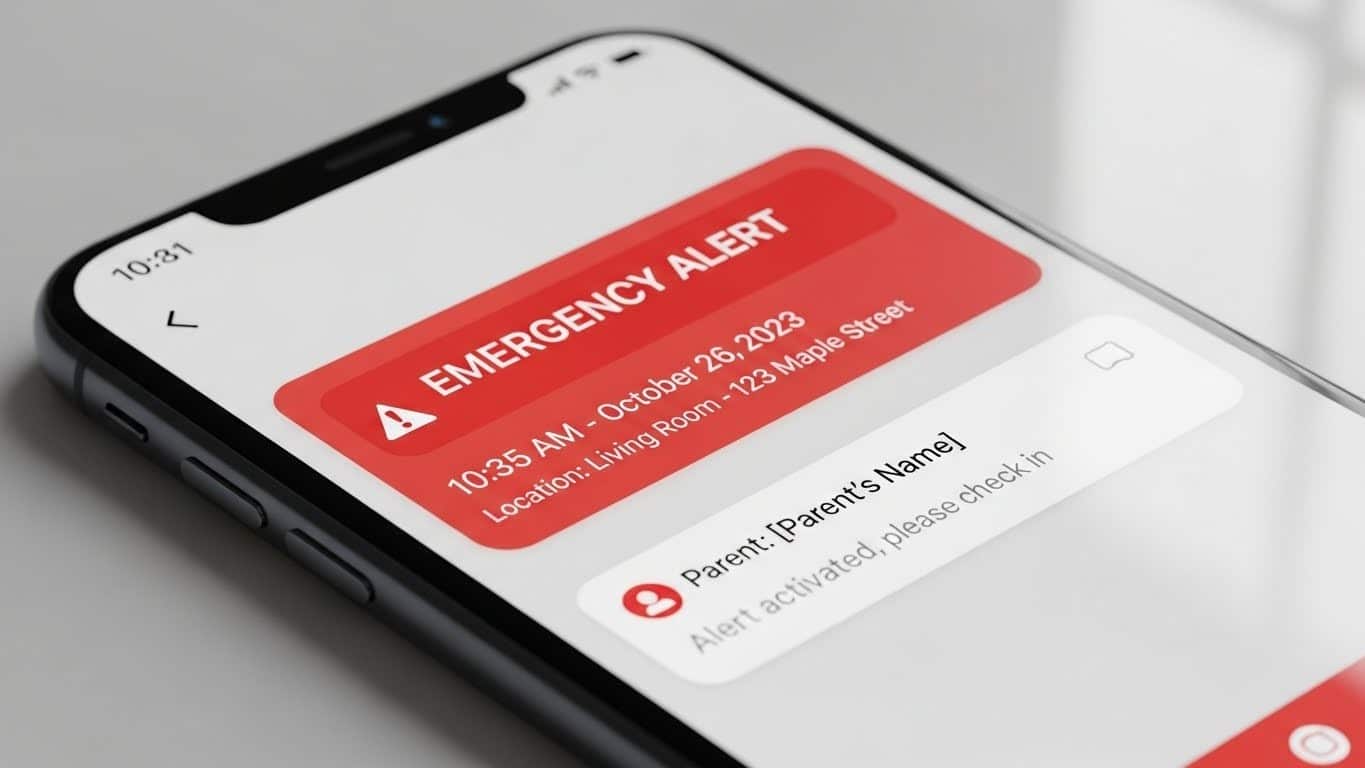
Margaret now sees and speaks with visitors from her favorite chair comfortably. She unlocks the door with one large button easily. Emergency contacts receive instant alerts if she doesn’t respond quickly. Sarah checks in remotely via mobile app whenever needed, giving both of them peace of mind.
Margaret maintained her independence successfully. Sarah stopped panicking every time her mother didn’t answer the phone immediately.
Here’s why video intercoms for elderly people are helping Brisbane seniors age safely at home—and what makes these systems work for older users specifically.

The Aging-in-Place Challenge
Australia’s population is aging rapidly. By 2030, one in five Australians will be over sixty-five. Most want to stay in their own homes—what experts call “aging in place.”
Traditional home setups create preventable risks for elderly residents:
Door Answering Dangers
Seniors rush to answer doors, increasing fall risks. Vision limitations or mobility issues make peepholes virtually useless for verifying visitor identity. They struggle with multiple locks and security chains, turning a simple task into a hazardous ordeal.
Social Isolation
Fear of not hearing doorbells causes elderly people to avoid activities outside the home. They worry about missing deliveries of medications or groceries. Difficulty managing visitors leads to decreased social interaction, much like being trapped behind an invisible barrier.
Emergency Access Problems
Medical emergencies require paramedics to enter homes quickly. Traditional locks delay emergency response significantly. Elderly individuals may be unable to reach the door during health crises—creating life-threatening delays that could mean the difference between life and death.
Family Anxiety
Adult children constantly worry about aging parents’ safety, making repeated check-in calls that feel intrusive. They can’t quickly verify if parents are okay without traveling across Brisbane. This constant worry affects both work productivity and family relationships, creating stress for everyone involved.
Elderly video intercom systems address all these challenges simultaneously. Learn more about how modern intercom systems enhance home security in our comprehensive guide to smart intercom technology.
Why Standard Intercoms Fail Elderly Users
Technology companies often design products for young, tech-savvy users. Standard intercom systems create frustration for seniors through several critical failures.
Complicated Touchscreens
Small icons require precise tapping—challenging for arthritic fingers. Multiple menu levels confuse users unfamiliar with smartphone interfaces. Complex settings reset accidentally, causing system failures that require technical support calls.
Tiny Buttons and Text
Standard buttons challenge arthritic fingers and reduced dexterity. Small font sizes strain aging vision, particularly in varying light conditions. Low-contrast displays become illegible when sunlight hits them—a common Brisbane problem with west-facing entrances.
Counterintuitive Operation
Multi-step processes overwhelm users accustomed to simple mechanical devices. Unclear instructions assume technical knowledge that many seniors don’t possess. Systems requiring smartphone apps exclude non-tech-savvy seniors entirely—the very people who need home security most.
Inadequate Audio Quality
Seniors with hearing loss struggle with standard speakers designed for younger ears. Background noise overwhelms voices, making conversations impossible. Single-volume settings don’t accommodate varying hearing capabilities between different users.
Understanding these common intercom installation mistakes helps families choose appropriate senior-friendly intercom solutions from the start.
The Ashgrove Example
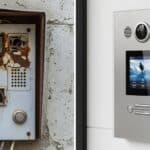
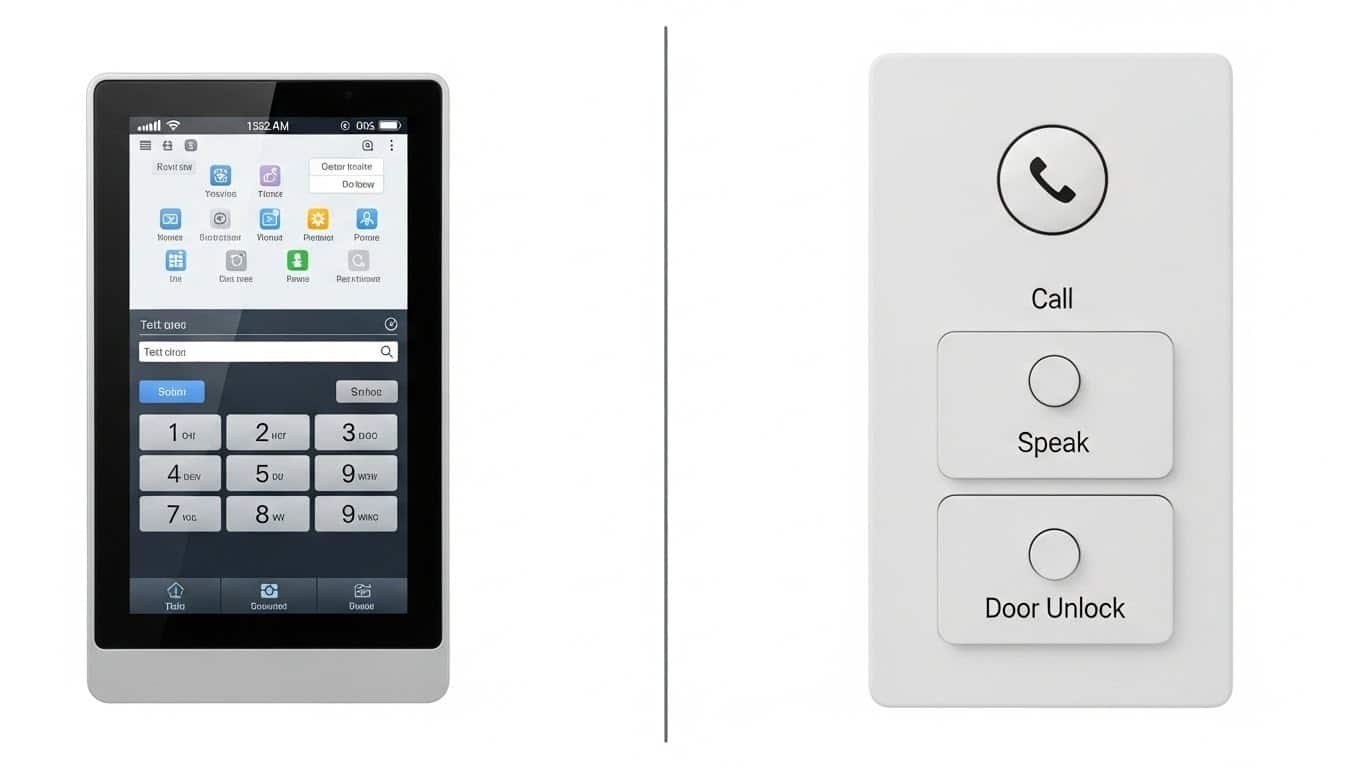
Margaret’s first intercom system was a modern touchscreen model with beautiful aesthetics that impressed visitors. Impressive features looked great in brochures, yet it proved completely unusable for her daily needs.
Reading the small text challenged her vision significantly. Her arthritic touches didn’t register accurately enough on the touchscreen. Multiple menu options confused her during stressful moments. After three frustrating weeks, an expensive system sat unused while she continued struggling with her old doorbell.
A replacement elderly video intercom system featured three large physical buttons: Answer, Unlock, Emergency. Text displayed in 24-point font that she could read clearly. A clearly labeled dial she could grip easily allowed volume adjustment.
Margaret mastered it in one afternoon without any technical assistance.
Essential Features for Elderly Video Intercom Systems
Age-appropriate video intercoms for seniors prioritize different features than standard residential systems designed for younger demographics.
Large Physical Buttons
Touchscreens fail arthritic users consistently. Physical buttons with tactile feedback work reliably instead, with each button serving one clear function without ambiguity. Buttons space far apart, preventing accidental presses during operation.
Quality systems use buttons requiring minimal pressure—critical for users with reduced hand strength or arthritis affecting grip.
High-Contrast, Large Text Displays
Vision declines with age naturally. Displays must use specific design elements to ensure readability for seniors.
Font Size Requirements
Minimum 18-24 point fonts ensure text remains readable. Large characters accommodate declining vision without straining eyes.
Contrast and Clarity
High contrast displays (white text on black background or vice versa) improve visibility. Bright screens remain visible in various lighting conditions throughout the day.
Simple Typography
No decorative fonts should appear on elderly-friendly systems. Only clear, simple lettering proves easy to read for aging eyes.
Enhanced Audio Systems
Hearing loss affects most seniors eventually. Senior intercom systems include specific audio enhancements.
Volume Controls
Adjustable volume controls must be clearly labeled and easy to reach. Elderly users need simple dial controls rather than complex digital adjustments.
Frequency Optimization
Enhanced bass frequencies prove easier to hear than treble tones. Proper frequency balance ensures clear communication for those with hearing loss.
Noise Management
Active noise cancellation filters background sounds effectively. Speaker placement at optimal listening height accommodates both seated and standing use.
Some systems integrate with hearing aids using t-coil technology or Bluetooth connectivity for better sound quality.
One-Touch Emergency Alerts
Falls, medical emergencies, and security threats require instant help without complicated procedures. Dedicated emergency buttons immediately alert multiple contacts:
- Family members via mobile app notifications sent instantly
- Pre-programmed emergency contacts called automatically
- Optional monitoring services for 24/7 professional response
- Local emergency services (where configured by installer)
How Families Use Remote Monitoring With Elderly Video Intercom
Modern elderly-friendly video intercom systems connect families across distances without feeling intrusive or surveillance-like.
Virtual Check-Ins
Sarah calls her mother’s intercom twice daily—morning and evening shifts. Margaret sees Sarah’s face on the screen and they chat briefly about the day.
No need to find the television remote, locate her mobile phone, or navigate complicated video call apps that confuse her. An intercom stays in Margaret’s favorite room where she spends most time comfortably.
Regular check-ins provide reassurance without feeling like surveillance. Margaret controls when to answer, while Sarah confirms her mother is okay without making her feel monitored.
Delivery Management
Medical supplies, groceries, and medications arrive regularly at elderly homes. Margaret previously worried about missing deliveries or letting strangers inside—a concern many elderly people share understandably.
Verification Process
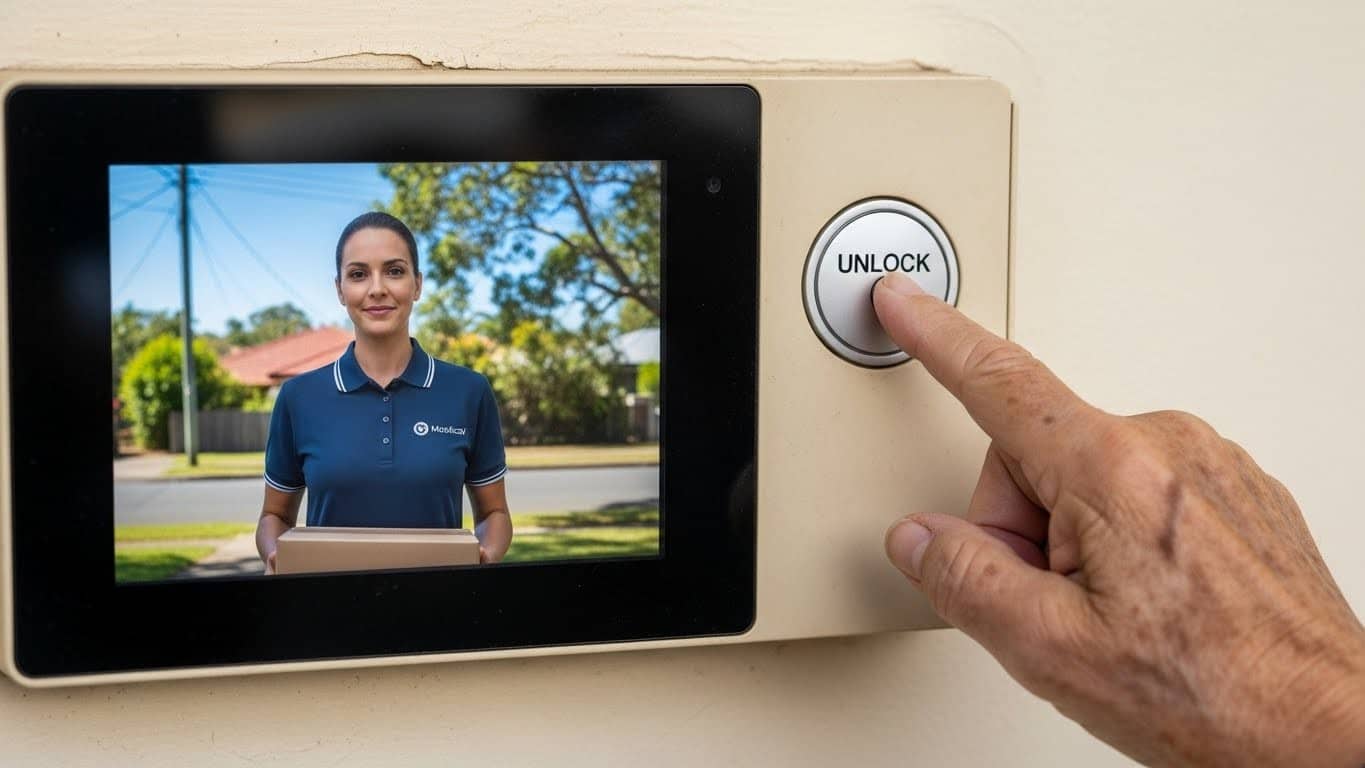
A delivery driver presses the button first. Margaret sees the driver’s uniform and vehicle on screen—visual verification similar to looking through a window safely.
Secure Access
She verifies the delivery company before unlocking the door confidently. Drivers leave packages inside the security screen door, then depart quickly. Margaret re-locks everything with one button press immediately.
Remote Family Support
If Margaret isn’t feeling well or is resting comfortably, Sarah receives delivery notifications on her phone remotely. She sees the video feed clearly, verifies the legitimate delivery professionally, and generates a temporary access code from across Brisbane instantly.
This elderly video intercom has prevented multiple package theft attempts while ensuring Margaret receives necessary medications reliably without stress.
Healthcare Professional Access
Home nurses, physiotherapists, and doctors visit elderly patients regularly for necessary care. Video intercoms for elderly users simplify these visits considerably for everyone involved.
Margaret recognizes her regular healthcare providers on screen immediately. For new professionals, she calls Sarah to verify their identity quickly before granting access. Scheduled appointments can trigger automatic notifications to family members for added peace of mind.
Emergency medical teams receive priority access codes enabling rapid entry during health crises when seconds matter most.
Brisbane-Specific Aging-in-Place Considerations
Queensland’s climate, regulations, and demographics create unique requirements for elderly intercom systems.
Weather-Resistant Equipment
Brisbane’s subtropical climate challenges electronics. Elderly users can’t troubleshoot technical problems easily, so installations require specific protections.
Weatherproofing Standards
IP65+ weatherproof ratings provide minimum protection. UV-resistant housings prove crucial for west-facing entrances exposed to harsh afternoon sun.
Material Durability
Corrosion-resistant materials withstand coastal areas better. Surge protection becomes essential during Brisbane’s intense storm season.
System reliability remains critical—elderly users depend on functioning intercoms for safety.
Emergency Response Integration
Queensland Ambulance Service recommends elderly residents install systems enabling emergency access. Video intercoms integrate with multiple emergency services.
Medical Alert Integration
Systems connect seamlessly with medical alert devices and fall detectors. Emergency call services link directly for faster response times.
Automatic Access
Systems can automatically unlock doors when emergency services approach, eliminating delays during life-threatening situations where seconds count.
Accessibility Regulations
Queensland building codes address accessibility standards. While intercom systems aren’t mandated for existing residences, age-appropriate features align with disability access principles.
Height Requirements
Reachable button heights (900-1200mm from ground) accommodate wheelchair users. Clear sight lines to displays ensure visibility for all users.
Operation Simplicity
Adequate lighting for screen visibility proves essential. Simple operation requiring minimal dexterity helps those with limited mobility.
Support for Ageing Population Programs
Brisbane City Council and Queensland Government support aging-in-place initiatives through various programs that provide:
- Home modification assistance
- Technology adoption subsidies
- Assessment services for home safety
Elderly-friendly intercoms often qualify for these support programs, reducing out-of-pocket costs for seniors and families.
Choosing the Right System for Elderly Parents
Not every “easy to use” intercom truly serves elderly users. Families should evaluate systems based on specific criteria.
Can They Actually Use It?
Request an in-home demonstration and let your elderly parent try the system themselves. Watch their natural interaction—do they understand it immediately or struggle with basic functions?
Red Flags to Watch For
Systems requiring multiple button presses for basic operations create confusion. Small text your parent squints to read indicates poor design. Touchscreens requiring precise taps frustrate arthritic users. Menu navigation needing explanation proves too complex for daily use.
Positive Signs of Good Design
One-button operations for common tasks simplify daily life. Large, clearly labeled controls prevent mistakes. Instant visual feedback when buttons press confirms actions. Systems simple enough to remember without reference guides ensure long-term success.
Does It Support Their Specific Limitations?
Every senior has different challenges. Your intercom choice for elderly parents should address your parent’s specific situation.
Hearing Loss Accommodations
Extra-loud speakers help those with reduced hearing. Hearing aid compatibility ensures clear communication. Visual alerts supplement audio notifications for complete coverage.
Vision Impairment Solutions
Large displays with high contrast improve readability. Optional voice announcements describe actions for those who struggle with screens.
Mobility Limitation Features
Wireless handsets carried to favorite chairs eliminate walking. No requirement to reach the door prevents falls. Emergency alerts requiring minimal movement ensure quick response.
Cognitive Decline Support
Simple, consistent operation reduces confusion. Minimal decision points prevent overwhelming choices. Clear labeling of all functions aids memory.
Can You Monitor Without Intruding?
Systems must balance family awareness with senior independence effectively.
Privacy-Respecting Features
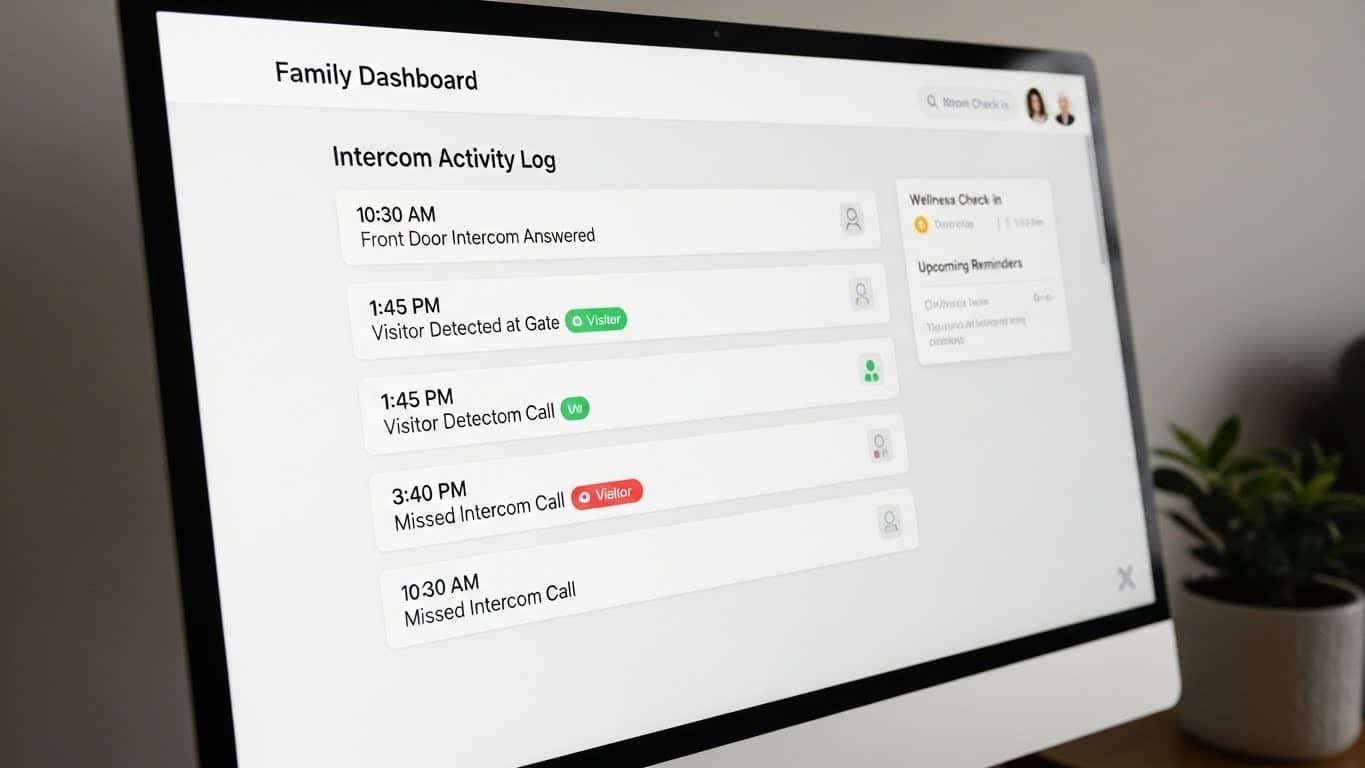
Activity logs show door usage patterns to identify unusual behavior. Missed call notifications alert families to potential problems without constant surveillance.
Emergency vs Regular Use
Optional check-in features respect privacy while providing reassurance. Emergency alerts trigger immediately when needed, but regular operation requires no family intervention.
Avoid systems requiring constant family management or making seniors feel constantly watched.
Real Brisbane Success Stories
The Bardon Family
Tom (82) and June (79) live in their Bardon home of forty-five years. Their three children live in Sydney, Gold Coast, and overseas. Previously, children rotated weekly phone calls to check on parents. Tom, who’s hard of hearing, often missed these calls, causing panicked emergency visits.
After installing an elderly-friendly video intercom:
- Children video call through the intercom system daily
- Large screen and loud speakers accommodate Tom’s hearing loss
- Emergency button provides peace of mind
- Delivery management eliminates door-answering falls
- Result: Family stress decreased dramatically while Tom and June maintained independence
The Paddington Widow
Patricia (73) lives alone after her husband passed. Her daughter lives locally but works full-time. Patricia’s mobility issues from arthritis make walking to the door difficult and painful.
A senior video intercom solution included:
- Wireless handset Patricia keeps with her in the living room
- One-button answer and unlock functions
- Pre-programmed contacts for daughter, medical services, and neighbors
- Result: Patricia answers the door comfortably from her chair, maintaining social connections without physical strain
The St Lucia Couple
David (76) has early-stage dementia. His wife Helen (74) manages his care at home. David sometimes forgets to lock the door after letting visitors in, creating security concerns.
Their specialized elderly video intercom features:
- Automatic re-locking after preset intervals
- Visitor photo logging Helen reviews
- Simplified operation David can remember
- Emergency alerts if door left unlocked
- Result: David maintains dignity through independent door answering while Helen ensures security
Installation and Setup Considerations
Installing intercoms for elderly users requires thoughtful planning beyond standard installations.
In-Home Assessment
Professional installers should visit to assess multiple factors before installation.
Environment Evaluation
Determine where the elderly person spends most time. Optimal screen placement for visibility and comfort matters significantly. Lighting conditions affecting display readability require careful consideration.
Practical Measurements
Distance from favorite chair to entrance influences system selection. Emergency access routes for medical personnel need clear identification during assessment.
Assessment ensures the system fits the user’s lifestyle rather than forcing lifestyle changes to accommodate technology.
Training Sessions
Unlike standard installations, elderly users need structured training across multiple sessions.
Session One (Installation Day)
Basic operation covers Answer, Unlock, and End call functions. Practice with family member simulating visitor builds confidence. Emergency button location and function receive special emphasis. Volume adjustment (if applicable) gets demonstrated clearly.
Session Two (One Week Later)
Review basic functions since they’re surprisingly often forgotten. Demonstrate advanced features if desired by the user. Practice problem scenarios to build confidence. Provide simple, large-print reference guide for future use.
Ongoing Support
Family members should initially supervise use until confidence builds. Professional technical support should use patient, clear language. Simple troubleshooting guides should use pictures, not text descriptions.
Cost Considerations
Elderly-friendly video intercom systems range from economical to premium options.
Basic Systems ($800-$1,500)
Simple video intercom with large buttons provides essential functionality. Basic smartphone app for family enables remote monitoring. Standard warranty covers typical issues.
Mid-Range Systems ($1,500-$3,500)
Enhanced audio for hearing impaired ensures clear communication. Emergency alert features provide peace of mind. Extended warranty and support offer long-term reliability. Integration with medical alert systems adds safety layers.
Premium Systems ($3,500-$6,000)
Fall detection integration catches emergencies immediately. Advanced health monitoring tracks vital signs. Professional monitoring services provide 24/7 oversight. Comprehensive family dashboard centralizes all information.
Many systems qualify for government subsidies, private health insurance rebates, or veteran support programs. Preventing one injury-causing fall offsets installation costs through avoided medical expenses. Calculate potential savings using our intercom system ROI calculator.
Getting Started: Next Steps for Brisbane Families
If you’re considering an elderly-friendly video intercom for aging parents, follow this process:
This Week
Assess your parent’s specific needs and limitations through honest conversations. Discuss their concerns about independence and safety—listen more than you talk. Measure their interest in technology assistance without forcing solutions. Document current door-answering challenges with specific examples.
Next Week
Research Brisbane providers specializing in accessible technology for seniors. Request in-home assessments from multiple installers—comparison shopping matters. Ask for demonstrations your parent can try themselves, not just watch. Compare systems based on simplicity first, features second.
Implementation
Choose system matching your parent’s capabilities, not your technical preferences. Schedule installation during a time your parent is home and alert. Arrange training sessions for your parent—patience is essential. Test emergency features thoroughly before leaving. Establish regular check-in routines using the system naturally.
For apartments and strata complexes, review our body corporate approval guide to understand the installation process for multi-unit buildings.
Contact Intercom Solutions Brisbane
We specialize in elderly-friendly video intercom installations throughout Brisbane. Our team understands senior users’ unique needs and configures systems prioritizing simplicity and reliability over complex features.
Our Approach:
- Free in-home assessment including parent capability evaluation
- Honest recommendations—we’ll tell you if intercom systems won’t help your situation
- Patient, respectful interaction with elderly clients
- Thorough training ensuring confident system operation
- Ongoing support recognizing elderly users need more assistance
Email: sales@intercomsolutions.com.au
Address: 95 N Quay, Brisbane City QLD 4000, Australia
We’ve helped dozens of Brisbane families support aging parents’ independence safely. Let us show you appropriate solutions for your family’s specific situation.
Frequently Asked Questions
Are video intercoms really simple enough for elderly people who aren’t tech-savvy?
Yes, when specifically designed for elderly users. Systems with large physical buttons, clear labeling, and one-function-per-button design work reliably for non-technical seniors. During in-home demonstrations, we ensure your parent can operate the system independently before recommending installation. Matching system complexity to user capability remains key—simpler systems often work better than feature-rich options.
How much do elderly-friendly video intercom systems cost in Brisbane?
Basic elderly-appropriate systems range from $800-$1,500 installed. Mid-range systems with enhanced audio and emergency features cost $1,500-$3,500. Premium systems integrating health monitoring and professional services reach $3,500-$6,000. Many Brisbane seniors qualify for government subsidies through aging-in-place programs, reducing out-of-pocket costs significantly. Preventing one injury-causing fall typically offsets installation expenses through avoided medical costs.
Can family members monitor elderly parents without making them feel watched?
Modern elderly video intercom systems balance family awareness with senior independence. Families receive alerts only for emergencies, unusual patterns, or when parents don’t respond to check-ins. Regular door usage, normal activity, and routine operations don’t trigger notifications. Systems respect privacy while ensuring safety—your parent controls their daily interactions while you receive reassurance they’re okay and alerts if they’re not.
What happens if the intercom system fails or has technical problems?
Quality systems include battery backup maintaining 4-8 hours operation during power outages. For technical issues, elderly-appropriate systems should include responsive local support—not offshore call centers. We prioritize same-day service for elderly clients and provide temporary solutions during repairs. Systems should include simple troubleshooting guides with pictures rather than text, and family notification if the system goes offline.
Will installing an elderly video intercom delay moving elderly parents to aged care facilities?
Video intercoms extend the time elderly people safely live independently, often by several years. They address specific safety concerns—fall prevention, emergency response, visitor management—while maintaining dignity and independence. However, intercoms aren’t solutions for all aging challenges. We honestly assess whether technology can adequately address your parent’s situation or if additional care becomes necessary.
Can elderly-friendly intercoms integrate with medical alert systems?
Yes. Modern senior intercom systems connect with medical alert devices, fall detectors, and emergency response services. When medical alerts trigger, intercoms can automatically unlock doors for emergency personnel, notify family members, and provide two-way communication with emergency responders. Integration ensures rapid response during health emergencies when seconds matter.
How do we handle elderly parents who resist new technology?
Start by focusing on benefits they value—staying in their home, maintaining independence, seeing grandchildren more easily—rather than technological features. In-home demonstrations let them experience the system before committing. Frame an elderly video intercom as a simple tool (like a television remote) rather than “technology.” Involve them in decision-making throughout the process, respecting their autonomy while addressing family safety concerns. Many initially resistant seniors become enthusiastic users once they experience the convenience.
![The $12 Billion Problem: How Brisbane Families Are Finally Stopping Package Thieves – [Cloned #540]](https://intercomsolutions.com.au/wp-content/uploads/2026/03/CAPA-JPEG-150x150.jpg)